In the realm of mobile gaming, iOS Spin Wheel Haptic Feedback Settings have emerged as a pivotal tool for enhancing player engagement. By leveraging Apple’s advanced Taptic Engine, developers can transform ordinary spinning interactions into multisensory experiences that resonate deeply with users. This article delves into the technical nuances, optimization strategies, and future trends of haptic feedback in iOS spin wheel games, offering actionable insights to boost user retention and app rankings.
The Science Behind Haptic Feedback in iOS
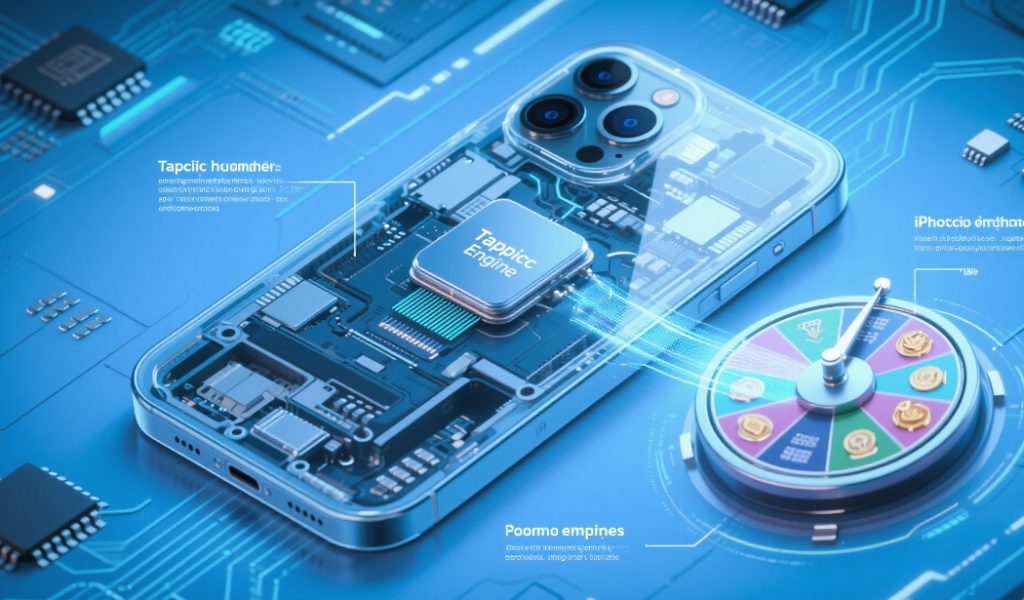
Haptic feedback, or tactile vibration, is not merely a novelty—it’s a neurological trigger that bridges the gap between digital and physical interactions. Apple’s Taptic Engine, introduced in the iPhone 7, uses electromagnetic actuators to deliver precise vibrations, mimicking real-world sensations like button presses or mechanical clicks. For spin wheel games, this technology translates rotational momentum into dynamic feedback: a gentle hum as the wheel accelerates, a sharp pulse when it stops, and rhythmic taps for each segment transition.
The iOS ecosystem offers three primary haptic feedback types: Notification, Impact, and Selection. For spin wheels, Impact feedback is particularly effective, as it simulates physical collisions (e.g., the wheel hitting a stop). Meanwhile, Selection feedback can highlight winning segments, creating a satisfying “lock-in” sensation.
Optimizing Haptic Feedback for Spin Wheel Games
1. Calibrate Intensity and Timing
The intensity of haptic feedback should mirror the wheel’s speed. A rapid spin might warrant a continuous, high-frequency vibration, while a slow, deliberate rotation could use intermittent pulses. Developers can access these settings via UIImpactFeedbackGenerator in iOS, adjusting parameters like style (e.g., light, medium, heavy) and magnitude to fine-tune the experience.
Timing is equally critical. For example, triggering feedback 0.2 seconds before the wheel stops creates an anticipatory effect, amplifying suspense. This aligns with Apple’s Human Interface Guidelines, which emphasize feedback that feels “natural and reactive”.
2. Leverage System Settings
iOS users can customize haptic feedback globally in Settings > Sounds & Haptics, toggling features like “System Haptics” for wheel interactions. While this affects all apps, developers can override these settings for specific gameplay moments. For instance, a jackpot win could bypass the user’s muted preferences to deliver a powerful, attention-grabbing vibration.
3. Create Contextual Feedback Patterns
Dynamic feedback patterns differentiate spin wheel games from generic apps. For example:
- Variable Speed: As the wheel decelerates, gradually reduce vibration frequency to simulate friction.
- Segment-Based Feedback: Assign unique vibrations to different prize tiers (e.g., a rapid buzz for high-value rewards, a subtle tap for consolation prizes).
- Multiplayer Sync: In social games, sync haptic feedback across devices to create a shared, synchronized experience.
Advanced Techniques for Immersion
Haptic Engine Integration
Apple’s Bongo Haptic Engine, a new addition to iPhone 15 Pro Max prototypes, introduces faster response times and more nuanced vibrations. This technology enables developers to simulate the “click” of physical buttons or the resistance of a mechanical wheel. By integrating Bongo’s APIs, spin wheel games can achieve a level of realism previously unattainable, with vibrations that adapt to pressure and motion.
Accessibility-Driven Design
Haptic feedback isn’t just for immersion—it’s also a powerful accessibility tool. For visually impaired users, haptic cues can replace visual indicators, guiding them through spin wheel interactions. iOS’s VoiceOver feature works seamlessly with haptics, providing tactile confirmation of selections. Developers should ensure their haptic designs align with Apple’s Accessibility Guidelines, such as offering adjustable intensity in Settings > Accessibility > Touch.
Future Trends in Haptic Technology
Apple’s ongoing investments in haptic innovation, like the Music Haptics feature in iOS 18, signal a future where vibrations become a core component of digital experiences. This technology, which syncs Taptic Engine feedback with music, could revolutionize spin wheel games by allowing developers to design feedback patterns that pulse in time with the game’s soundtrack. Imagine a wheel that vibrates to the beat of a suspenseful melody, heightening tension as it slows to a stop.
Additionally, the rise of adaptive haptics—where feedback adjusts in real-time based on user behavior—promises personalized gameplay. For example, a spin wheel could analyze a player’s swiping speed and adjust vibration patterns to match their preferred interaction style.
Conclusion: Elevate Your Spin Wheel Game with Haptics
In the competitive iOS gaming landscape, iOS Spin Wheel Haptic Feedback Settings are a differentiator that cannot be overlooked. By calibrating intensity, timing, and contextual patterns, developers can create experiences that feel alive, intuitive, and unforgettable. With Apple’s continuous advancements in haptic technology—from the Taptic Engine to the Bongo Haptic Engine—the possibilities for innovation are vast.
For developers looking to dominate the App Store, integrating these strategies into spinthewheel games will not only enhance user satisfaction but also drive organic traffic through SEO-optimized content. After all, a game that engages both the eyes and the hands is a game that users will keep coming back to.
Elevate your spin wheel game with precision haptics—only at spinthewheel.